Showing posts with label Software. Show all posts

Monday, June 29, 2009

Defraggler 1.11.148


From Piriform, the company that brought you CCleaner and Recuva... they now bring you a file defragmentation tool... Defraggler!

It differs from other defrag tools on the market, by enabling you to quickly and simply defrag the files you want to, without having to process the whole drive. Simply run it, select the file and defragment in seconds. No more struggling with the Windows defragmentation tool!

Defrag Individual Files
Defrag Free Space
Compact and Portable
Vista Support
Locate Files on the Drive
Freeware
And remember like all Piriform products, Defraggler is completely free for both corporate and individual use.

DOWNLOAD

Delete Duplicate Mp3 Files 7.49


Delete Duplicate Mp3 Files: What is the Best way to Delete duplicate Mp3 files? How can I delete duplicate Mp3 files on my computer? Delete duplicate Mp3 files in Mp3 file collection and delete duplicate Mp3 files on Mp3 file player with award-winning program to delete duplicate Mp3 files. This program for deleting duplicate Mp3 files can delete duplicate Mp3 files everywhere. Delete Duplicate Mp3 Files - Download software for FREE now.


DOWNLOAD

IntelliPoint 7.0


IntelliPoint software enables you to customize the unique features of your Microsoft mouse. You can reassign mouse buttons to perform commands, shortcuts, and application-specific functions. You can also modify mouse settings, such as pointer speed and updated horizontal scrolling.

IntelliPoint software enables you to customize the unique features of your Microsoft mouse to fit your needs. With IntelliPoint mouse software, you can reassign each mouse button—including the wheel button—to perform a command or keyboard shortcut, like Undo, Close, or an application-specific function.

You can also modify mouse settings, such as pointer speed and updated horizontal scrolling. IntelliPoint 6.1 even offers biometrics support for advanced identity management. If you have a Bluetooth mouse or keyboard, you will need to have Windows XP with Service Pack 2 installed.


DOWNLOAD

Saturday, June 27, 2009


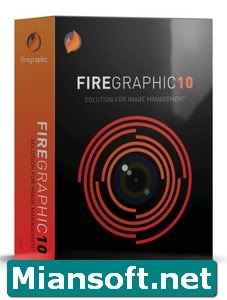
Firegraphic Features:
• Lightening fast. No more waiting for the photo to open. Firegraphic starts up instantly and displays your photos into thumbnail images in seconds.
• View photos and folders all at once. All your photos and folders are listed on screen, just scroll through the page and you'll see all the files in each folder and subfolder. When you organize your photo collections, you can move your photos, even folders, around by drag and drop.
• Compact mode. The Compact mode makes it more convenient to work with 3rd party image editor. Align both Firegraphic and the image editor together, then drag the photo directly to the image editor for editing.
• Play videos. Play your videos with Firegraphic's built-in media player while organizing your video collections. The built-in media player supports variety of video file formats, including AVI, MOV, MP4, MPEG, MPG and WMV.
• Capture video screen. You can capture a screen shot of a video being played. Just click the video screen capture button and take a snap shot of the video.
• Import and rename photos. Browse and import images directly from cameras and storage devices. You can define name for the images as you download them from your digital camera or memory card to your computer. This saves you a step from going back to rename the images.
* Compact Flash I, Compact Flash II
* Microdrive
* Memory Stick and Memory Stick Duo
* Secure Digital, MultiMedia, and SmartMedia cards
* xD-Picture cards

• Organize photos in Favorites. Add your home, work, travel photos to the Favorites folders and categorize them into different albums for easy access later.
• Compare photos side-by-side. Open two or more photos in Viewers and compare similar photos side by side to choose your best shots.
• Open multiple Viewers. Open as many Viewers as you like and Firegraphic will arrange them automatically so you can see all the opened photos at once.
• Fix and enhance photos. Fix your photos with the adjustment tools, including color balance, brightness/contrast, and see the changes you made in the before and after screen instantly.
• Lossless JPEG compression. With the lossless JPEG compression feature, you can edit and re-save your JPEG images without recompression. Adjust images with the nondestructive editing tools:
* Crop
* Rotation
* Flip image
* Color balance
* Brightness/contrast
* Hue/Saturation
* Desaturate

• Batch process. Save hours of effort by processing photos in batch. Rename, resize, rotate, convert to different formats, photo adjustments, and more.
• Print your photos. With just a few clicks, you can turn your photos into wallet sized or 4 x 6 prints, print contact sheets of your photos for future reference, or quickly arrange photos to print in different sizes on a page with the pre-designed templates. Simply select the photos you want to print and choose the photo print size, Firegraphic will automatically arrange maximum number of photos possible on one page, and you'll see how your printouts look like instantly.
• Print tray. Use the Print Tray to hold and organize the photos to be printed. Drag the thumbnail images to the Print Tray and move them around into the order you want.
• Share photos via email. Reduce the size of the photos and email them to friends and family without altering the originals.
• Supported file formats. Firegraphic supports variety of images, video, and audio file formats, including AVI, BMP, GIF, JPEG, MP3, MP4, MPEG, MPG, PCX, PNG, PSD, RAS, RAW, TGA, TIFF, WAV, WMA and WMV.
• Supported RAW formats. Using Firegraphic, you can import JPEG images from virtually all digital cameras. Firegraphic also supports the RAW formats from a wide range of digital cameras.
Firegraphic Portable

Cd Na Chalay!

Friday, June 26, 2009

Download Top 5 Free Portable Software

Here is a list of 5 portable softwares (software that are suitable for use on a portable drive including USB (thumb) drive, ipod, portable hard disks, palm PDA etc ). These software do not require any type of installation and can run from a portable device.

VLC Media Player Portable


VLC Media Player can play any video format and DVDs, VCDs. This portable software is quite bulky at around 16MB. You can place it in USB flash drive, iPod, portable hard drive, CD etc and can use it on the go to play any video format.
Download VLC Media Player Portable

Winamp portable (Winamp Lite)


If you are a music addict chances are you like Winamp. No there is a portable version of Wiamp Player called Winamp Lite that you can carry in a USB, CD and other portable drives. Have a look on these instructions when going through the portable installation process.
Download Winamp Portable (Winamp Lite)

Mozilla Firefox 3 Portable


Yes there is now a Mozilla Firefox Portable edition so you can take your bookmarks, extensions and saved passwords with you. This portable edition does not leave any personal information on machine. So take this Firefox Portable with you in a USB or other portable hard disk, use it as you go for web browsing and leave no important information behind.
Download Firefox 3 Portable

Winrar Portable


Winrar is best compression tool and is now available as portable (Winrar Unplugged). It works without installation on USB/Flash drives, external hard disks. You can use Winrar portable everywhere Windows is available and Winrar Unplugged is available in 7 international languages.
Download Winrar Portanle

MSN 8.5 Portable


MSN 8.5 Portable is a lite and easy version of MSN 8.5 and has all features of normal MSN messenger 8.5. You can use it on all computers from a USB device or flash disk without installing it. Now you do not have to worry if MSN is banned in school or office. Take this portable version in a thumb drive and you have MSN in your pocket to use. It includes displays pictures, nudge, emoticons and all other features of regular messenger.
Download MSN Messenger 8.5 Portable

If U Like My Post Don't Forget To Sy Thanx

Note:This WebSite Daily Update Software & Other Things For All User Plz Writer This Software comments Any Problem I Soved You Want Any Register Software Only Send Mail my E-Mail Adress With in 24hours ur software in This Blog Khuram_eye@hotmail.com

Thanx

Tech, Web, How to, Reviews, Tips, Downloads, and Make Money Online, Daily Update.

Bookmark and Share

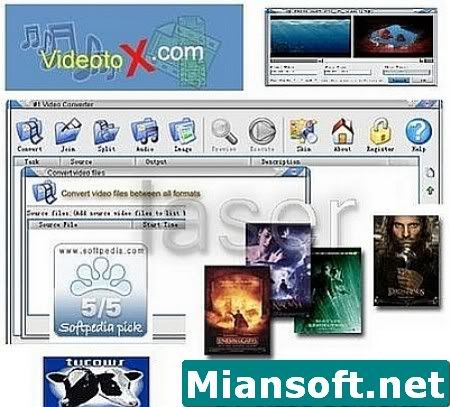
#1 Video Converter 5.2.13 Portable


Key Features:
• Extreme fast Conversion speed.
• Supports AVI, MPEG1, MPEG2, ASF, WMV, Divx, xvid.
• All supported formats to MPEG1.
• All supported formats to MPEG2.
• All supported formats to VCD, SVCD, DVD (PAL,NTSC)
• All supported formats to AVI (DivX,XviD, MPEG-4);
• All supported formats to Windows Media Format (WMV/ASF)
• Joints video files to a large one.
• Splits large video file to smaller clips.
• Specifies start and end position while convert and joint.
• Batch file conversion .
• Extracts audio tracks from all supported video formats to mp3, wma, wav.
• Extracts images from all supported video formats.
• Preview result before long time execution.
• Backup DVD Disk(.VOB) to all supported formats.
• Backup DVD Disk(.VOB) music to mp3, wav, wma.
• Backup VCD Disk(.DAT) to all supported formats.
• Backup VCD Disk(.DAT) music to mp3, wav, wma.


#1 Video Converter 5.2.13 Portable.exe

&

DOWNLOAD DISK DOCTOR+DATA RECOVERY CLICK HERE


Bookmark and Share

Portable Nero Burning Rom 7.751 Full


Download Link
27MB


Bookmark and Share

Windows Mobile 7 Announced for 2010

Microsoft’s CEO Steve Ballmer has recently confirmed that Windows Mobile7 will be available sometime next year. Although no specific data has been set yet, it’s still quite an exciting OS to look forward to. Of course there’s still the version 6.5 to contend with this year with stiff competition coming in from Palm’s Pre, TouchFlow, RIM and even LG’s new S-Class 3D UI.

Nevertheless, Windows Mobile has been around for a long enough time for users to appreciate the various upgrades it’s been through and with the ‘Touch’ generation taking over, I personally can’t wait to see what the 6.5 edition will be capable of doing and how it’ll handle. According to a few reports , WinMo 7 will have a tighter integration with Windows 7 for PCs that should be out come September of this year. The UI itself will obviously be optimized for finger touch and hopefully do away with the stylus altogether is what I’m hoping.

It’s something to look forward to for now. To know more of what Ballmer had to say on the subject click here. (story Link)


rated 5.0 by 4 people [?]


Bookmark and Share